

c880 Aviator: How Rounds, Auto Cash-Out and Limits Work
Understand how an Aviator round runs, how auto bet and auto cash-out work, and where simple strategies stop helping.
Table of Contents
c880 Aviator is a crash game: a plane climbs, a multiplier rises, and you must cash out before the plane flies away. Place a bet before take-off, tap Cash Out in time, and your stake is multiplied by the number on screen. Wait too long and the stake is lost.
You have probably just opened the game, seen the multiplier shoot up, and wondered when to tap. That is normal. Most first rounds end in a missed cash-out because the game moves faster than expected. This page slows it down. We explain each step, then the limits.
How a c880 Aviator round works
Where do you start? With the betting window. Every round has three phases.
- Betting phase. A short countdown. You enter a stake in taka (BDT) and confirm.
- Flight phase. The plane rises and the multiplier grows from 1.00x upward.
- Crash. The plane leaves at a point you cannot see in advance. Anyone who has not cashed out loses the stake.

Your win is stake times the multiplier at the moment you tap. A 100 BDT stake cashed out at 2.00x returns 200 BDT. Check the game screen for the current minimum and maximum bet, because limits can change.
Why the crash point cannot be predicted
Each round is independent. A run of low crashes does not make a high one "due". Treat past results on screen as history, not a signal.
Auto bet and auto cash-out explained
Tapping at the right instant on a phone is hard. Auto tools help with that. Look for the Auto tab on the bet panel.
- Auto Bet repeats your stake every round without you pressing anything.
- Auto Cash Out cashes out when the multiplier reaches a number you choose, such as 1.50x.
Set the cash-out number first. Then decide how many auto rounds you allow. Stop auto bet when your daily limit is reached. Left running, it can spend your balance quickly.
Simple strategies and their limits
Is there a method that beats the game? No. Strategies only change how you spend, not the odds of a round. Here is a quick comparison.
| Approach | How it works | Honest limit |
|---|---|---|
| Low target (about 1.3x–1.5x) | Cash out early, small wins | One early crash wipes several wins |
| High target (5x or more) | Wait for a rare big run | Most rounds lose the stake |
| Two bets per round | One safe, one risky | You stake double each round |
| Doubling after a loss | Recover losses fast | Costs grow quickly and can hit the table limit |
We do not recommend doubling after losses. It turns a small loss into a large one. Pick a fixed stake and a fixed target, then stick to them.
Playing Aviator on your phone
Aviator suits mobile screens, but a weak connection can delay your tap. If the plane freezes, do not keep tapping. Wait for the round to resolve, then check your balance and history.
- Use stable Wi-Fi or a strong mobile signal.
- Keep the app current; see the c880 App Download page for install steps.
- Sign in with your mobile number; the c880 Login page covers sign-in problems.
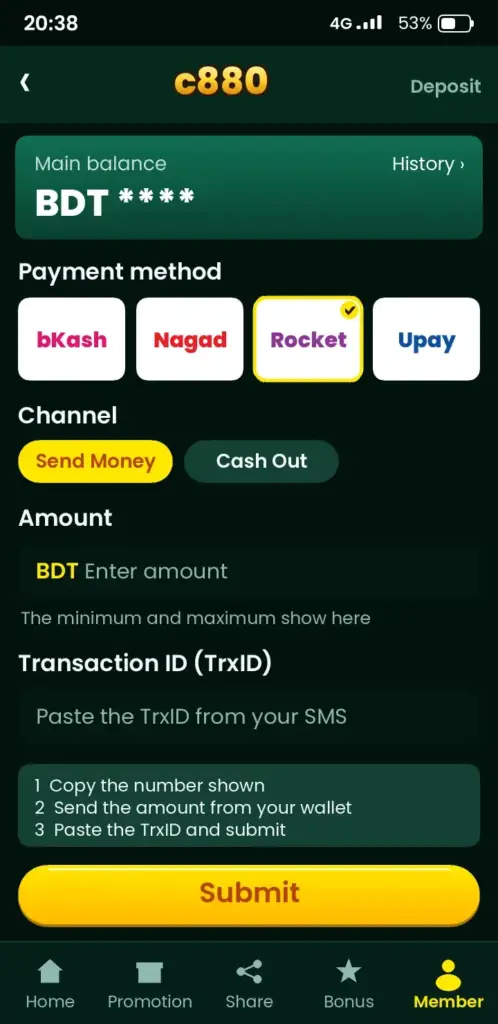
For deposits, local wallets such as Nagad or bKash can be listed in the cashier. Check the app for the current list and keep your transaction ID until the balance shows.
Troubleshooting common Aviator problems
| Symptom | Likely cause | Fix |
|---|---|---|
| Game will not load | Weak network or old app | Switch network, update the app, reopen |
| Cash-out missed | Lag or late tap | Use Auto Cash Out and a lower target |
| Bet not placed | Betting phase ended | Place the stake during the countdown |
| Balance looks wrong | Round still settling | Check bet history, then contact support |
| Auto bet keeps running | No round limit set | Turn Auto off and set a stop count |
Other games and offers worth a look
If you want slower play, try the c880 Slots page or the wider c880 Casino Games lobby. Before using any promo, read the wagering rules on c880 Bonuses, since some games do not count toward them.
Play Aviator responsibly
Aviator is entertainment, not income. You are likely to lose over time. Only adults aged 18 and over should play.
- Set a daily limit before the first round and do not raise it mid-session.
- Stop after a fixed time, win or lose.
- Never chase losses or use money meant for rent, food or bills.
- Take a break if play hurts sleep, work or family life.
Bet limits, balance and round timing
Every Aviator table has a minimum and maximum stake, and the exact BDT figures can change, so check the bet panel inside the app before you plan a session. Do not rely on numbers quoted by other sites or in chat groups. If a stake is rejected, the cause is usually a limit or a low balance rather than a fault.
Rounds run back to back, with a short betting window before each takeoff. A bet placed after the plane has left waits for the next round. That is why a tap that feels instant on a slow connection can land one round late.
- Stake too low or too high: the app shows the allowed range; adjust and confirm again.
- Balance shows less than expected: a pending deposit or an open bet may be holding part of it.
- Bet not accepted: the betting window closed; wait for the next countdown.
Setting a personal budget before you start
A budget decided before the first round is the most useful tool in a fast game like this. Pick an amount you could lose without affecting rent, food or bills, and treat it as the cost of entertainment, not as income.
Because Aviator rounds last only seconds, spending adds up faster than most people expect. Many players find a fixed session length works better than chasing a target profit.
- Decide the total BDT amount for the session and write it down.
- Choose a stake that is a small fraction of that amount, so you can play many rounds.
- Set a stop time on your phone alarm.
- When the budget is gone or the alarm rings, close the app for the day.
Never deposit again in the same sitting to win back a loss. That habit is the most common way a small loss becomes a large one.
Reading your round history and records
The round history strip shows recent crash points, and it is easy to read patterns into it. Each round is independent, so a run of low results does not make a high one more likely. Use the history only to see what already happened, not to guess what comes next.
Your own bet history is more useful. It lists stakes, cash-out points and results, which helps you check that auto cash-out behaved as you set it and settle any doubt about a payout.
| What to check | Why it helps |
|---|---|
| Stake and time of the bet | Confirms the bet was placed in the round you intended |
| Cash-out multiplier | Shows whether manual or auto cash-out triggered |
| Result and balance change | Matches the payout to your wallet or transaction record |
If a record looks wrong, take a screenshot with the round time and contact support through the app with those details.
Free, confidential help is available at Gambling Therapy. Ready to try it with a limit set? Open the app, sign in, and start with the smallest stake. Read the c880 FAQ if anything is unclear. 18+ only. Play responsibly.
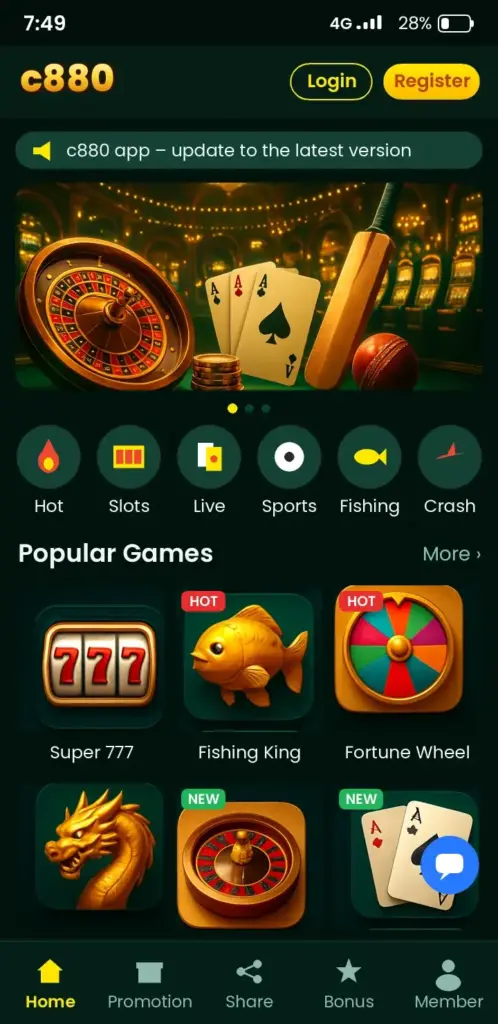
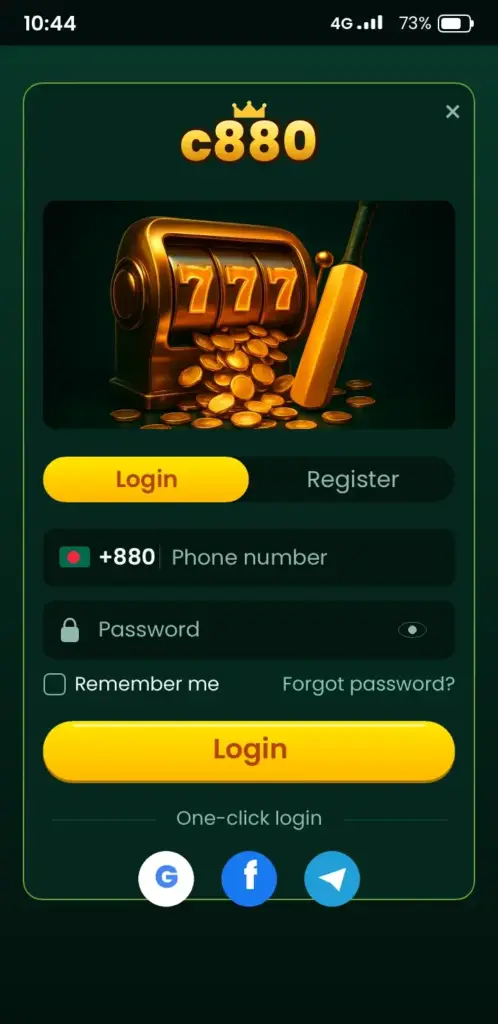
c880 App Screenshots: Game Lobby, Login, Deposit & Bonuses
See how the c880 app looks on an Android phone before you download it – tap any screen to open the app.

Frequently Asked Questions
What is c880 Aviator and how does it work?
c880 Aviator is a crash game. You place a bet, watch a multiplier rise and cash out before the plane flies away. Your win is the stake times the multiplier when you tap. If you miss the moment, the stake is lost.
How do I cash out in c880 Aviator?
Tap the Cash Out button while the plane is still flying. The amount shown is your stake times the current multiplier. For safer timing, open the Auto tab and set an Auto Cash Out number before the round starts.
Can I use auto bet on c880 Aviator?
Yes, the bet panel has an Auto tab with Auto Bet and Auto Cash Out. Set a cash-out multiplier and a limited number of rounds. Check the game screen for the exact options, and stop auto play when your daily limit is reached.
Is there a winning strategy for c880 Aviator?
No strategy can predict the crash point, because every round is independent. Fixed stakes and a fixed cash-out target only help you control spending. Avoid doubling after losses, since it can grow your losses quickly.
Can I play c880 Aviator on my Android phone?
Yes, the game works on mobile. Install the Android APK from the official link, sign in and open the game from the lobby. Use a stable connection so your cash-out tap is not delayed. Check the app page for requirements.
Does c880 Aviator work on iPhone?
The brief does not confirm an iOS app. Try the mobile site in your iPhone browser, and check the app page or support for the current answer. Never download files from unofficial links claiming to be an iOS version.
How do I deposit with bKash for c880 Aviator?
Open the cashier in the app, choose bKash if it is listed, enter the amount in taka and follow the prompts. Keep your transaction ID until the balance appears. Check the app for current minimums and methods.
c880 theke taka tulbo kivabe after an Aviator win?
Open the cashier, choose Withdraw, pick a method such as bKash or Nagad if listed, enter the amount and confirm. Processing times vary, so check the app for the current range. Account verification may be needed first.
Why did my c880 Aviator round freeze?
A freeze is usually a weak connection or an outdated app. Do not keep tapping. Wait for the round to settle, check your bet history, then switch networks or update the app. Contact support if the balance still looks wrong.
Is c880 Aviator safe for beginners?
It is only for adults 18 and over, and it carries a real risk of losing money. Start with the smallest stake, set a daily limit and stop when it is reached. Never share your password or OTP with anyone.